Her City View

NYC Blogger Content Creator covers food, travel, technology and wellness

Just before the start of Spring break, we visited the Microsoft Experience Center to hear about tech tips & products for families, so they can have a less stressful Spring experience (whether staycation or travel).

Note: This posted was written in partnership with Microsoft Store. Views expressed are always 100% my own.

Helping families have less stress?! As a mom of a teen son, I needed ALL THE TIPS and was literally outside the store before it opened. Ha!

Spring Break Microsoft Store Tech Parenting Tips

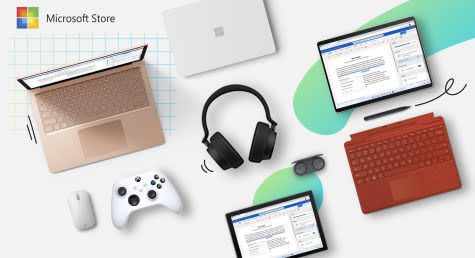
To start I had some hands on time with a Surface Laptop device (#gifted) and a Microsoft Store staff member, who shared some perks of using this device including

  • It's light weight so you can travel and stay connected to school, work, etc.
  • It has great specs for watching movies or light video game playing
  • Connect to displays and docks with USB-C® and USB-A.
And then I learned about the Spring Tips and Sales!


Microsoft Store’s Tech Tips for Spring Travel


Harness the power of intentional screen-time: Turn any long layover into an extended gaming session or transform your staycation into a gaming tournament for your kids while you catch up on sleep, hobbies, or work.

Scoop up a dedicated kid-friendly device on sale: To make travel as pain free as possible, scoop up an affordable, secondary family device for kids to watch movies/TV, play educational games or catch up on homework so they don’t have to use their parents’ expensive tech. Shop deals such as Store Spring Sale to save even more.

Stay organized to keep your cool: Microsoft tech can help you stay organized and make capturing memories a breeze so you can focus on your adventures and having fun with your family. Microsoft 365 provides access to Microsoft Store’s best personal productivity and protection tools all in one convenient subscription.

Practice your setup before you hit the road: Whether you have a toddler or a teen, kids thrive with knowing what to expect. Do a dry run of your kids’ tech setup to make sure you have everything you need, and everyone knows how to use it.

Expect the best, prepare for less: You never know when rain, canceled reservations or a stomach bug will throw a wrench in the most perfectly planned day. Be prepared with a fun backup activity you can do from anywhere. Download a karaoke app or a new game to make your vacation meltdown-proof.


Microsoft Store’s Spring Sale
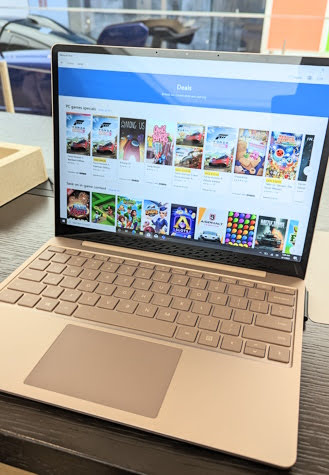


The Microsoft Store’s Spring Sale runs April 7 – 20, with discounts on Xbox and PC games, PCs, movies and TV shows, and more! Learn more, visit - www.microsoft.com

Microsoft Store’s Activities


Since we were one of the first families in the store, we had extra time to see and enjoy a few things including


Seeing how Microsoft Store products fit into families lifestyles and activities, both during the day and at night.


Virtual and physically driving the one-of-a-kind McLaren Senna through the streets of Forza Horizon 5. This experience is FREE and open to the public!


Demoing the Surface Design Lab to learn how to personalize a Surface device type cover with a variety of unique designs that are lazer etched onto the front. This is simple to use and a great gift idea!

Ending our visit with some mom and son gaming in the Xbox Game Pass Lounge. Another FREE and open to public experience families can enjoy. There's lots more I'm going to share about this in another post!


Microsoft Store’s Perks


As Not sure which games to purchase or need help setting up a new console? Gamers (18+) and parents can use gaming checkout to have our product experts help configure and purchase Xbox consoles, games, accessories, or Complete. And make sure you never miss a deal on your favorite Xbox games by getting sale alerts on wish listed games.

Don’t forget to enter the Wish to Win Spring Sweepstakes! Send us your wish list for a chance to win an Xbox Series X, Series S, and games. Terms and conditions apply. 

For more information, visit -  https://aka.ms/WishToWinSpringSweepstakes

Shop with Confidence: Purchasing from Microsoft Store comes with the Microsoft Store Promise, with free 2-3-day shipping, free 60-day returns, our 60-day low price promise and flexible payment options.

Microsoft Store also offers free personal set-up and training sessions with a Microsoft expert to help customers make the most of their gifts. Customers can learn more and sign up for 1:1 sessions here.

Learn more, visit - www.microsoft.com

The holidays are the perfect time to upgrade technology, whether it’s for a student with countless extracurriculars, a working parent bouncing between the office and kids’ activities, or a friend who seems to live at the airport.
Tech Gifts Ideas at Microsoft Store

Note: This posted was written in partnership with Microsoft Store. Views expressed are always 100% my own.

Here are some ideas for the perfect tech to make this person’s life easier this holiday season, with Microsoft’s selection of commuter-friendly devices.

My Other Related Posts


Microsoft’s Tech Gifts for On the Go


Surface Laptop Go 2


For the person who already has a primary PC. The Surface Laptop Go2 is the lightest Surface laptop and perfect for someone who needs a second device. Available in sage, ice blue, sandstone, and platinum there’s sure to be a striking color for anyone on your list.


Surface Go 3


For the commuter or student always on the go. Surface Go 3 is the most portable Surface touchscreen 2-in-1 with added horsepower so they can learn, listen, or play from anywhere.


Surface Laptop 4


For the student who does it all. Surface Laptop 4 has a perfect balance of sleek design, speed, immersive audio, and a battery life that will last through even the longest study session.


Surface Pen


For the artistic student or hands-on learner. Surface Pen delivers a natural writing and drawing experience, with ink that flows out lag-free in real time and 4,096 pressure points that respond to the lightest touch allowing for precision sketching and shading.


Microsoft Gift Card


Sometimes, the best gift of all is the gift of choice. Let the student in your life stock up on their favorite games, entertainment, and tech accessories with a Microsoft Gift Card.


Microsoft 365 Family plan subscription


Purchase powerful productivity and security apps for the whole family (up to six people). Access smart assistance features in Word, Excel, and PowerPoint, save and share files and photos across devices with OneDrive, set location alerts in the Microsoft Family Safety mobile app, and more.


Microsoft’s Tech Gifts for Gamers:


It isn’t always easy to find the perfect gift for a gamer. They know what they like, and probably know a lot more about their specific preferences than you do! That’s why Microsoft has created a gift guide with a variety of options for every gamer to enjoy.


Surface Laptop Studio


Spoil your gamer with console-caliber gaming from the most powerful Surface Laptop. Elevate their PC gaming experience with graphics that rival reality and one month of free Xbox Game Pass Ultimate.


Xbox Series S


For the dorm-room gamer, give the gift of Microsoft’s smallest, sleekest console ever. When paired with Xbox Game Pass, players receive access to hundreds of beloved games including Microsoft Flight Simulator, Forza Horizon 5, and more. Consider See the source pairing it with a custom controller or accessory from Xbox Design Lab as a stocking stuffer.


Surface Pro 8


brings an entirely modernized redesign to the most powerful Pro. Get more screen on a high-resolution 13-inch display and enjoy console-caliber gaming. Perfect for the student who could use a study break.


PC Game Pass


For the gamer on the go or who prefers gaming from their desk. PC Game Pass grants access to a library of high-quality PC games and an EA Play membership that unlocks EA’s bets-loved series and top titles. P.s. digital content makes a great last-minute gift in case you’re in a bind.


Xbox Game Pass Ultimate


For the Xbox fan or loved one who just got a new Xbox. Give the gift of over 100 high-quality games that can be played with friends on console, PC, phones and tablets.


Microsoft’s Tech Stocking Stuffers:


These Microsoft products under $50 make perfect stocking stuffers or small gifts for party games this holiday season.


Microsoft Modern Mobile Mouse


Upgrade a work or school setup with a lightweight and portable mouse that works on a variety of surfaces thanks to BlueTrack technology.


$50 Microsoft Gift Card


Give loved ones the gift of choice this holiday season and allow them to stock up on their favorite games, entertainment, and tech accessories with a Microsoft Gift Card


Microsoft Ocean Plastic Mouse


For the sustainability-minded person on your list. This mouse is made with recycled ocean plastic from plastic waste that is recovered from oceans and waterways, cleaned, and processed into recyclable plastic resin pellets.


Microsoft Store Promise


Purchasing from Microsoft Store comes with the Microsoft Store Promise, which gives customers confidence in their purchases during this shopping season.


Enjoy fast and free 2-3-day shipping, flexible payment options, extended free holiday returns and an extended low-price promise. Microsoft Store offers free personal shopping, set-up and training sessions with a Microsoft product expert to help people choose the perfect gift for everyone on their list.


Learn more or sign up for 1:1 sessions, visit - www.microsoft.com


Have a list of people you need to get tech gifts for? Or maybe you want a tech device yourself but not sure about the specs? If the item can be found in a Microsoft Store, then I suggest making a free virtual appointment!

Please Note: This posted was written in partnership with Microsoft Store. Views expressed are always 100% my own.


Didn't know you can make a Microsoft Store virtual appointment?

Neither did I until the Microsoft Store team suggested it when I needed help with a few things, including understanding Windows 11 and comparison shopping for a new laptop!


Using Microsoft Store’s Appointments for Personal Shopping and Training


Making an appointment was easy. I just pick the topic I needed help with, day and time I'm available and done! Next I received an email with all the details including the Microsoft Teams video link.

After logging into my Microsoft Store virtual appointment, I meet with a real person to discuss my topic. My first appt was for training to understand Windows 11.

The expert walked me through features of the program, answered any questions I had about using certain apps and even demoed how to do certain tasks. I now can use Windows 11 more fully.


I was so impressed with the service that I wanted to use it again when I was interested in a Surface device, but wasn't sure which one I needed.

Instead of going into a Microsoft Store location, I was able to schedule an online personal shopping appt to discuss Surface devices features, specs and even compare models. Again the live expert walked me through everything and answered my questions.

I was able to decided which Surface device was best for me and simplify my shopping decision. They even offered a few tips about holiday shopping to get the best deals. Now when I shop either online or in the store, I know what to get!

Both my Microsoft Store virtual appointments really helped me and was so useful. Everyone needs to use this service!


Microsoft Store’s Appointments


Holiday shopping can be a bit overwhelming. Between trying to find the perfect thing for everyone on your list, to trying to stretch budgets amidst inflation and capture the best prices of the season, and making sure presents arrive on time – it can be a lot!

Microsoft Store is here to help – from the free personal shopping appointments, to extended holiday price promise guaranteeing best deal of the season, to free and fast shipping and digital gifts for the true last-minute crunch.

Microsoft Store offers free, personal shopping, setup and training appointments with knowledgeable product experts both online, from the comfort of customers’ homes, and at Microsoft Experience Center in Manhattan.

In personal shopping appointments, get help to take the stress out of finding the right gift for the trickiest people on your list. You tell us about your loved ones, your budget, and we’ll suggest the perfect device or game or accessory to wow them.


Attending a personal shopping appointment will help you select a Surface device that best fits your needs and lifestyle and allow you to learn more about Microsoft’s holiday lineup.

Additionally, buying through Microsoft Store is the gift that keeps giving. Once someone has their device, we also offer free 1:1 setup and training appointments.

Setup appointments help customers get right to using their new device upon purchase. Imagine seeing your kid’s face light up on a holiday morning when they unbox an Xbox that is ready to play!

Training appointments help customers get the most out of their new gifts post-holiday. Perfect for when you give your parents a Surface Go for their travels, but can’t be their personal tech support. We stick around to walk you, or your parents, through the device and software well after the gifting fun!

Finally, purchasing from Microsoft Store comes with the Microsoft Store Promise, which gives customers confidence in their purchases during this shopping season. Enjoy fast and free 2-3-day shipping, flexible payment options, extended free holiday returns and an extended low-price promise.

Learn more, visit - www.microsoft.com/store

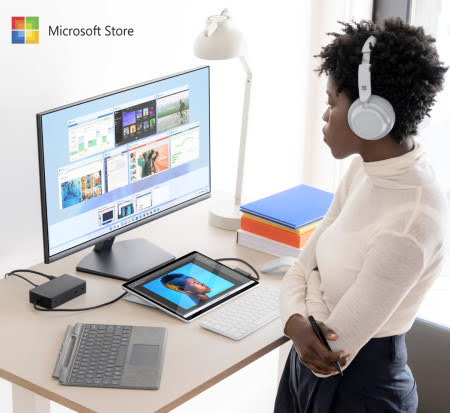
Looking to upgrade your work from home life or to get full use of your Microsoft device or programs? Then use these tips from Microsoft Store to help set you up for success, in the New Year.


4 Ways to Get the Most Out of Microsoft Products:


  • An integral part of Microsoft 365, use PowerPoint’s Designer feature to make inspiring slides in a few quick clicks or budget for success using Excel.
  • Upgrade your device to Windows 11 for access to features like Snap Assist, that arranges your open windows to help you start the year off organized.
  • Did you know you can use your device more efficiently and see all open windows by placing three fingers on the touchpad and swiping them away from you? Swipe back Graphical user interface, application, Word Description automatically generated down with all three fingers to show your desktop.
  • Find powerful productivity apps on the new Microsoft Store on Windows to get organized, increase focus, and spark creativity, with apps like Trello or Concepts.

Be sure to take advantage of the Microsoft Store Promise which offers free shipping and returns, expert help with personalized shopping appointments and flexible payment options.

Learn more about Microsoft Store, visit - www.microsoft.com
Can you believe that I have a windows laptop and I've used a few windows phones for a while, but I really don't know much about the Microsoft Store?!

First Look at Surface Windows Tablet in Microsoft Store

Note: I was invited as media to this event with Online Mom Media. Any personal views expressed are always 100% my own.

First Look at Surface Windows Tablet in Microsoft Store

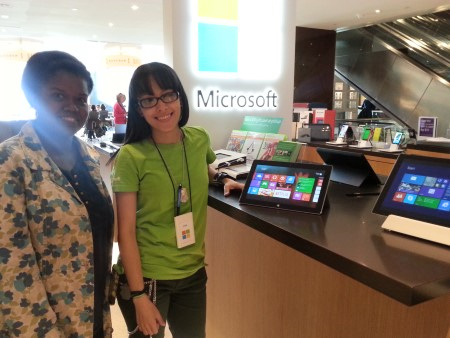
That all changed when I was invited by The Online Mom for a mini tour of the Microsoft Store in NYC's Time Warner Center!

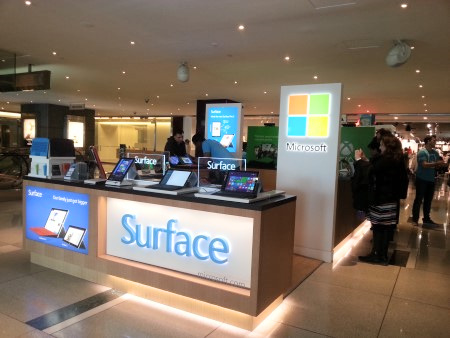
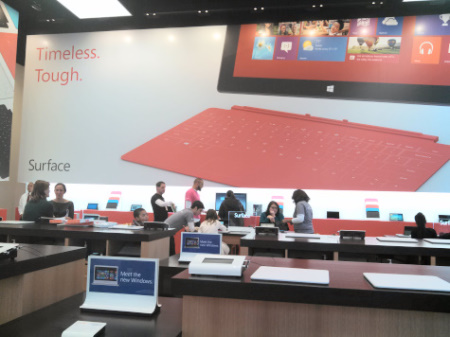
The first thing I noticed about the Microsoft Store Pop-Up in Time Warner Center is how open it is. No closed off or enclosed areas. This makes it easy to walk around and see the different products.

It also makes it easy for the store staff to interact with customers.

First Look at Surface Windows Tablet in Microsoft Store

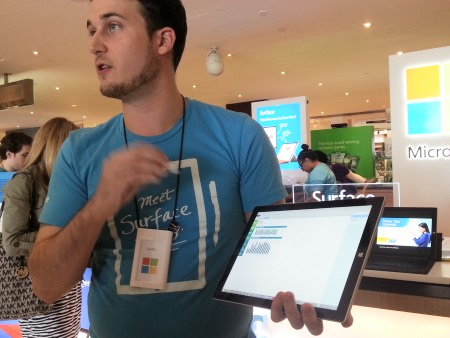
During our tour, our group met with this locations manager, who gave us an awesome and detailed demo of some of the products you can find in the Microsoft Stores including:


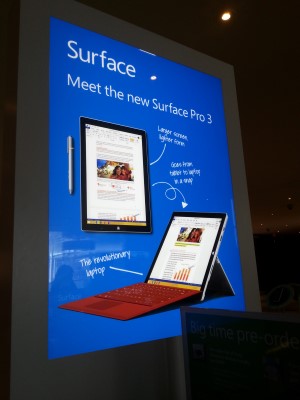
The new Surface Pro 3, which is a great tablet for anyone who wants to get stuff done quickly and efficiently.


I was really impressed with the many ways The Surface Pro 3 helps you to multitasking including side-by-side windows, the easy connection and text conversion between the Surface Pen and OneNote, the multi position kickstand, and multi USB ports for easy connection to your mouse or to download files.


I also had a chance to check out the features of the Xbox One, which features amazing gaming abilities and better integration with the Kinect sensor, as well as the the ability to use voice commands and gestures to navigate the console's user interface.


After learning so much about the store and their devices, I joined the group for a lunch. Which was so yummy!

Then a few days later I returned to the Microsoft Stores to purchase my own Surface 2. I have two upcoming media trips and I can really use a tablet to help me keep track of things with my photos, notes and of course social media. I usually take my laptop but this seems like a great lighter option.


Back at the store the staff was once again very helpful. They helped make sure I knew how to set my Surface 2 tablet and gave me quick demos on how to use certain features I'd need during my trip.


But this help wasn't just for me. Any customer can receive the same service, even after you purchase your Microsoft Stores device.

But devices and gaming aren't the only things Microsoft Stores has to offer customers and the community. The stores also offers services such as personal training, technical support, ongoing performance tuneups and more.

  • Educational workshops - Learn how technology can make life easier. Whether in school, business or just looking to get a better grasp on the latest trends — specialists are dedicated to providing assistance where you need it.
  • Business events - Complimentary educational workshops, informative seminars, and networking events that bring together business owners.
  • Interactive gaming - Experience the best of Xbox One. As the creators of Xbox One + Kinect, Microsoft Stores host some pretty awesome gaming events. Don't miss their launch parties for some of the year's biggest releases or their ongoing Gamer Leagues.

To learn more about what Microsoft Store, visit - www.microsoftstore.com


Recently I attended a private preview at the Microsoft Specialty Store in Times Square to get some hands-on time with the new Surface tablet, SmartGlass technology with Xbox 360, and other Windows 8 devices found in the store.

Preview of Surface Tablet Microsoft NYC Store
Note: I was invited as media to preview this event. However, any views expressed are always 100% my own.

Preview of Surface Tablet Microsoft NYC Store

Soon after arriving, my son was allowed to play games on the surface tablet while I learned about it's features and family privacy settings. Check out the video showing all the different uses of the Surface Tablet and Windows 8 operating system.

Demo of Microsoft Surface Tablet


I also saw a demo for the Xbox SmartGlass, which is an app for Android (Yes!), Apple iOS, Windows 8, Windows Phone, and other portable devices that connects phones, PCs and tablets with your Xbox 360 console to make your entertainment smarter and more interactive.

Preview of Xbox SmartGlass Microsoft NYC Store

Xbox SmartGlass enhances a number of video games, as well as other forms of entertainment. For example, while watching a show or movie on your TV via Xbox, SmartGlass can automatically pull up information about what you're watching including casting, episodes, and commentary. You can also view and navigate your favorite websites on your TV, manage music playlists, and share socially.

Once done with the demos I went to check out all the cool things you can do on the Surface Tablet. One cool app we spend time learning was Fresh Paint, which lets you draw or retouch images.

The App features a palette and easel where you can pick, blend and mix colors as well as pick templates to "color" in. You can "paint" with the app using the touch screen or a special brush that also serves as stylus.

Microsoft Pop-up Store will be open to the public through the holidays, where visitors can learn more about the Surface Tablet and upgrading their personal computers, tablets and other devices to Windows 8.

The starting price for the Surface is $499.

For more Surface Tablet details, visit - www.surface.com